


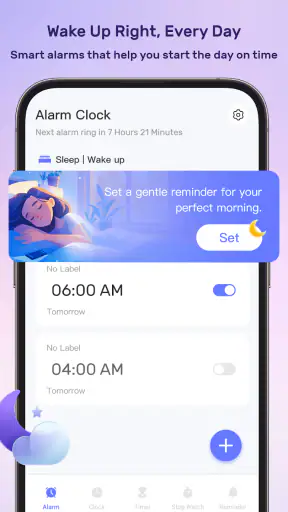
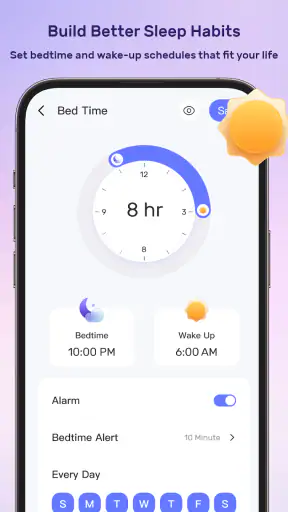
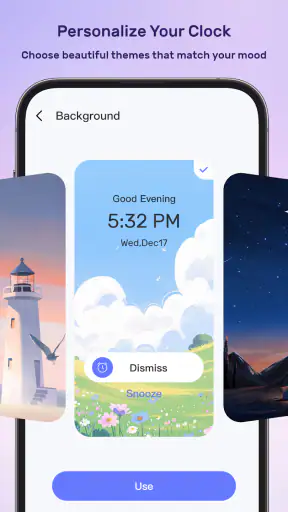
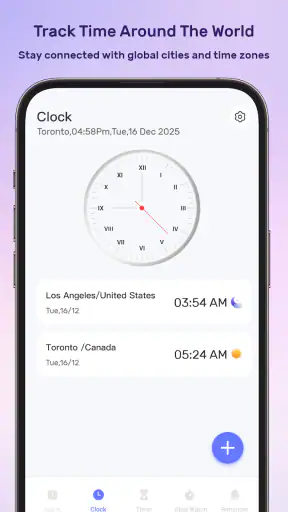
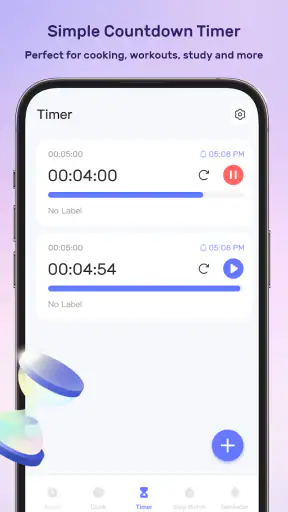
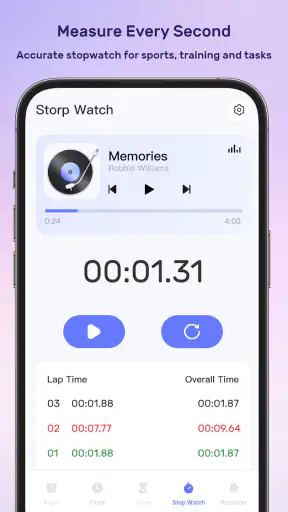
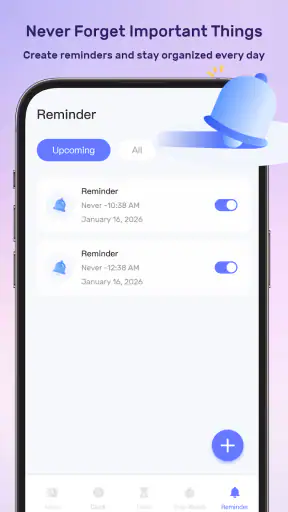
Some productivity apps try to solve every problem at once, but that ambition can make them difficult to trust or even understand. MeloTick takes a more focused route: it is built around waking up, tracking time, and remembering things. I found that combination interesting because these tasks are connected in everyday life, yet they usually live in separate apps. An alarm handles the morning, a timer handles a task, and a reminder app handles everything that must not slip through the cracks.
That all-in-one idea is the main reason to look at MeloTick. It is a free productivity app from Dorothy Craigie, aimed at people who want a lightweight routine rather than a large project-management system. The app has reached over a million installs, which suggests that its simple promise has found a sizeable audience. Its average score is 3.4 from roughly four hundred ratings, so I would not approach it as a universally polished solution. I would approach it as a practical tool worth testing, especially if you prefer one place for time-based prompts.
The age label is Mature 17+, something I would personally check before recommending it to a younger user. It runs on Android 7.0 or later, and the current version is 1.3.5. Those details make it accessible on many older Android phones, although compatibility alone does not tell you whether the experience will suit your habits. The important question is whether you are comfortable giving one app a role in several sensitive parts of your day: waking you, interrupting you, and reminding you about things you may consider private.
How MeloTick fits into a real daily routine
My favorite way to judge an app like this is to imagine a normal weekday rather than an ideal productivity routine. You might set a wake-up prompt for a workday, use a time-tracking function while preparing breakfast or studying, and create a reminder for a bill, appointment, or medication. None of those actions is complicated on its own. The appeal is that they can belong to the same daily workflow instead of being scattered across an alarm clock, a stopwatch, and a notes app.
A realistic example would be a student who needs to wake up, spend a fixed period reviewing notes, and remember to submit an assignment later. MeloTick can make sense in that situation because the three needs are time-related. I would set the morning prompt first, start tracking only when the study session actually begins, and create the later reminder immediately rather than trusting memory. That order matters: it keeps the app from becoming a dumping ground for vague intentions.
For a freelancer, the useful angle is slightly different. Time tracking can help separate client work from breaks, while reminders can mark follow-up tasks. The app is more attractive when your workday is made of short, clearly bounded activities. If you need detailed invoices, team permissions, project budgets, or elaborate reports, I would choose a dedicated time-management service instead. MeloTick’s strength is the connection between simple personal prompts, not professional administration.
It may also suit someone who repeatedly forgets small transitions. A reminder to leave home, a timed block for cooking, and a wake-up prompt for an early shift all belong to the same category of problem: remembering when to act. That is more specific than saying the app is “good for productivity.” It is useful for people whose difficulty is not knowing what to do, but noticing the right moment to do it.
At the same time, I would not use it as my only system for complex planning. A calendar is better for appointments involving other people, a task manager is better for long lists with priorities and dependencies, and a dedicated sleep tool may be better for users who want detailed sleep analysis. MeloTick should be treated as a focused companion for time awareness, not a replacement for every organizational tool.
The value of combining alarms, time tracking, and reminders
The three-part design changes how I think about the app. A wake-up tool is about starting the day, time tracking is about observing what is happening now, and reminders are about protecting the future. Keeping those functions together can reduce the small amount of friction that causes people to abandon productivity systems. You do not need to switch mental contexts as often, and a time-based action can lead naturally into the next one.
There is a useful workflow hidden in that combination: use a wake-up prompt for a fixed starting point, begin a tracker only when work truly starts, then create a reminder at the moment a future obligation becomes clear. This avoids a common mistake with time tools, where people record plans but fail to record actual behavior. The tracker is most valuable when it captures what you really did, not what you hoped to do.
Another practical tip is to keep reminders narrowly written. “Handle work” is too broad to be helpful when it appears later. “Send the revised file” or “pack the charger” gives the prompt a clear action. This is not a flashy feature, but it determines whether a reminder reduces mental load or merely creates another vague notification.
I would also separate recurring habits from one-off events whenever the app allows you to do so through its visible controls. A wake-up routine belongs to the first group; a dentist appointment or travel departure belongs to the second. Mixing them can make the list harder to scan and increases the chance of overlooking something important. The best experience comes from using each part for a distinct job instead of entering every thought that crosses your mind.
Trust starts with what the app visibly lets you control
Because MeloTick can sit close to your daily routine, I pay attention to user control more than I would with a simple calculator. Before relying on it, I would inspect every visible setting for alarms, reminders, tracking behavior, notifications, and account-related choices. I would also check the Android permission prompts as they appear, rather than approving everything automatically. A productivity app should earn access one request at a time.
I am deliberately cautious here: a store page and an app description do not justify assumptions about permissions, data retention, encryption, sharing, or account deletion. I would not claim that MeloTick collects nothing, stores everything locally, or offers a particular privacy guarantee unless the app clearly shows that information in its own controls or policy screens. The responsible approach is to verify those points directly on your device before entering sensitive material.
That matters because reminders often contain more personal information than users realize. A notification might reveal a medical appointment, a work deadline, a relationship detail, or a location-related plan. I would write reminders so that the visible text is useful without exposing unnecessary context on a locked screen. For example, a discreet phrase can protect privacy better than a full sentence containing names and details.
Time tracking can be sensitive in a different way. Even when a user creates entries only for personal reflection, the labels may reveal clients, employers, health routines, or periods of inactivity. I would use neutral project names if the phone is shared, and I would review the app’s visible storage and account controls before recording anything that could create professional or personal risk.
Practical checks before trusting it with important reminders
My first test would be a harmless reminder scheduled soon, followed by a check that the alert appears as expected. I would then test a wake-up prompt under the conditions in which I actually sleep: with the phone locked, muted, charging, or using a scheduled system mode. This is more useful than assuming that an alarm will behave like a dedicated clock app. A reminder that works during casual testing but fails during a real morning is not dependable enough for critical commitments.
I would also test what happens after dismissing, delaying, or missing an alert. Does the visible interface make the next action obvious? Can I tell whether something is completed, postponed, or still active? These small distinctions affect trust. If the status is unclear, I would avoid using MeloTick for deadlines where a missed prompt would have serious consequences.
For tracking, I would start and stop a short session, then look for how clearly the result is presented. The important question is not only whether a timer runs, but whether the recorded period can be understood later. If the app makes it difficult to distinguish a completed session from an accidental start, I would keep the tracking use simple and avoid treating its records as formal evidence.
There is also a sensible backup habit: for high-stakes events, keep the appointment or deadline in the system calendar or another trusted channel as well. This is not a criticism unique to MeloTick. Any single reminder app can be affected by a notification setting, a dead battery, a device change, or a user mistake. MeloTick can reduce forgetfulness, but it should not be the only safeguard for something costly to miss.
Where user agency matters most
I like productivity tools more when they allow me to decide how much structure I want. MeloTick’s appeal is strongest for someone who wants direct prompts without building a complicated hierarchy of folders, tags, projects, and priorities. The trade-off is that a simpler interface may offer less control for people who need detailed organization. I would rather have a small number of clear actions than a crowded system I stop maintaining.
Notifications deserve special attention. I would choose which prompts are genuinely useful and avoid creating alerts for every minor intention. Too many notifications can train you to dismiss the app automatically, which defeats the purpose of reminders. A good personal rule is to reserve alerts for actions that are time-sensitive or easy to forget, while keeping reference information elsewhere.
I would also review old entries regularly. A forgotten reminder can remain mentally “active” even after it is no longer relevant, and old tracking sessions can make the interface feel noisier than it needs to be. A short weekly cleanup is enough: remove obsolete prompts, rewrite recurring ones that no longer match your routine, and keep only tracking categories that lead to a useful decision.
Another non-obvious trade-off is emotional. Tracking time can be motivating when it reveals where your day goes, but it can become stressful if every break feels like wasted evidence. I would use the feature for curiosity and adjustment, not self-punishment. If the numbers make you more anxious than informed, a simple timer or paper note may be a better fit.
What the rating and audience suggest
The 3.4 average rating from about four hundred ratings gives me a balanced expectation. It indicates that the concept is appealing but that the experience may not satisfy everyone. I would not read that score as proof that the app is poor, nor would I ignore it. It is a reason to test the exact functions you need before moving important routines into it.
The audience size, with more than a million installs, makes the app easier to take seriously than an obscure experiment, but popularity does not settle questions about reliability or privacy. The developer is Dorothy Craigie, and I would still judge the app through its current behavior: how understandable the controls are, how predictable the alerts feel, and how clearly it explains account and data choices.
The Mature 17+ label is another reason I would not recommend installing it for a child without checking the store and device context first. For adults, the label is simply part of the decision. If you are choosing a productivity tool for a family member, workplace phone, or shared device, consider not only the features but also the sensitivity of the reminders that may appear in notifications.
Who should use it, and who should skip it
I would recommend MeloTick to an adult who wants a free, personal tool for wake-up prompts, simple time awareness, and reminders in one place. It is particularly suitable if your day contains repeated transitions: starting work, changing tasks, taking a break, leaving home, or preparing for sleep. It can also help users who dislike maintaining several separate utilities for closely related time-based needs.
I would be more hesitant for someone who needs guaranteed alarm behavior, detailed historical reporting, shared schedules, formal work records, or advanced task management. In those cases, a dedicated alternative is likely to be better at the specific job. I would also skip it if you prefer not to place personal routine information in a multifunction app until you have personally reviewed its permissions and data choices.
The app is free, which lowers the cost of trying it, but free does not automatically mean frictionless or private. I would spend a few minutes reviewing setup screens and settings before deciding whether it deserves a permanent place on my phone. That small investment is worthwhile because the app touches moments when reliability and discretion matter more than visual novelty.
My cautious verdict after looking beyond the basic promise
MeloTick has a sensible everyday idea: connect waking up, observing time, and remembering future actions without forcing users into a full productivity suite. I can see it helping someone build a dependable morning routine or keep short work sessions visible. Its best use is personal and practical, especially when the main problem is losing track of transitions rather than managing a large project.
My recommendation comes with boundaries. I would verify permissions, notification behavior, account controls, and data choices directly in the app before entering sensitive information. I would test important alerts, keep high-stakes events backed up elsewhere, and avoid turning every small task into a notification. Those habits make the experience safer and also prevent the app from becoming noisy.
With version 1.3.5 and support for Android 7.0 or later, it is accessible enough to try on many devices, and the free price removes the biggest barrier to experimentation. Still, the middling average rating tells me to evaluate it against my own routine rather than assume it will work perfectly. My honest view is that MeloTick is worth trying for simple, private, time-based organization, but it should remain a carefully tested helper rather than the sole keeper of your most important commitments.


